Open what you already have.
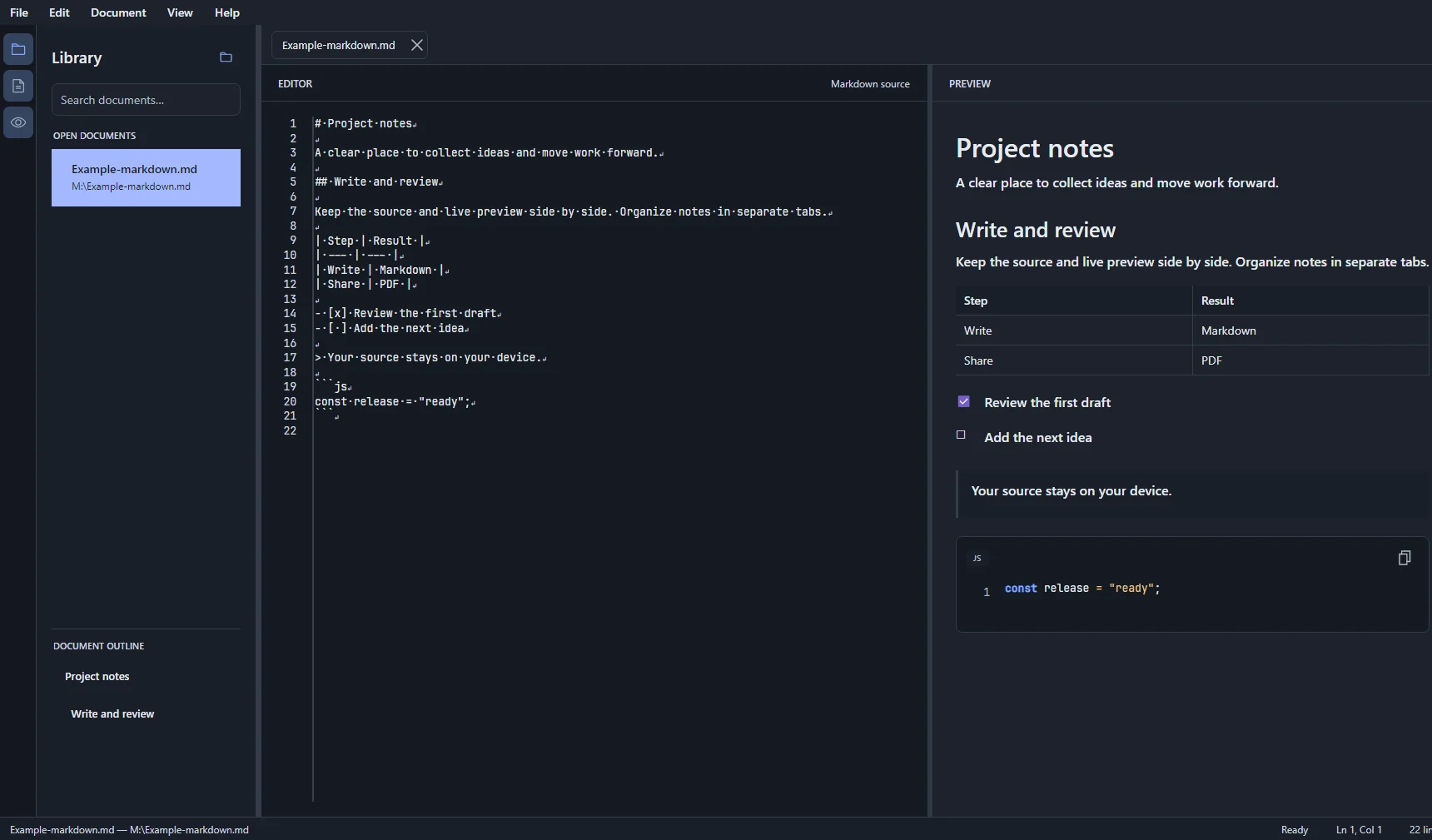
Open .md and .markdown files or an entire folder. Search documents, revisit recent files, and browse the heading outline.
A free, open-source desktop editor to create, review, and edit your .md files, then export them as PDFs.
Designed for Windows, macOS, and Linux · public beta for Windows and Linux
Open a file or folder, edit the source, and keep the rendered result in view. No account to create and no copying between tools.
Open .md and .markdown files or an entire folder. Search documents, revisit recent files, and browse the heading outline.
Edit Markdown and watch headings, lists, tables, links, tasks, and code blocks take shape in the live preview.
Switch between tabs, reorder documents, and find or replace text with keyboard shortcuts.
Export from the same workspace without moving your content into an online converter.
Show or collapse the library, editor, and preview. Resize them and return to the same layout next time.
Hold Ctrl and scroll to zoom the editor. You can also show spaces and line endings.
Switch between light and dark themes. Your choice is remembered for future sessions.
On Windows, add markdim to the Open with menu for Markdown files.
markdim works with local files. No account, cloud sync, or telemetry. Its source code is public under the MIT License.
Install the Windows app from its official Microsoft Store listing.
Yes. markdim is open source under the MIT License, and public beta builds are free to download with no account or subscription.
Yes. Create a blank note, open a .md or .markdown file, then edit the text and save your changes.
CommonMark and Markdig advanced extensions: headings, tables, nested lists, tasks, links, images, and syntax-highlighted code blocks.
Yes. Export the document from the File menu without copying it into another tool.
Public beta downloads are currently available for Windows and Linux. The project also targets macOS; check Releases for the packages that have shipped.
Yes. markdim works with your local files and adds no online account, cloud sync, or telemetry.
Yes. Markdown files created by OpenCode or other tools open like any other .md file; no special import is needed.
Hold Ctrl and use the mouse wheel to zoom the editor text without changing the file.
Have a question about a release or an issue to report? Contact us on GitHub .
